
-Please follow steps by clicks where the arrow points at as it shows on pictures below 👇.
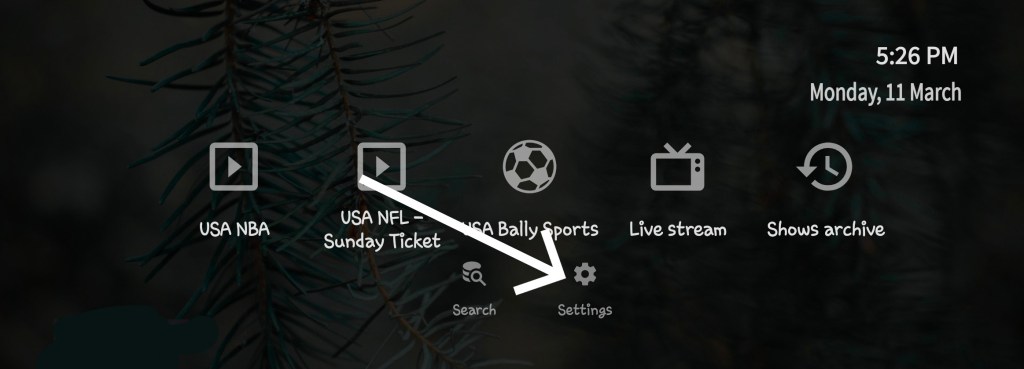
-Click settings.

-Click “Provider”
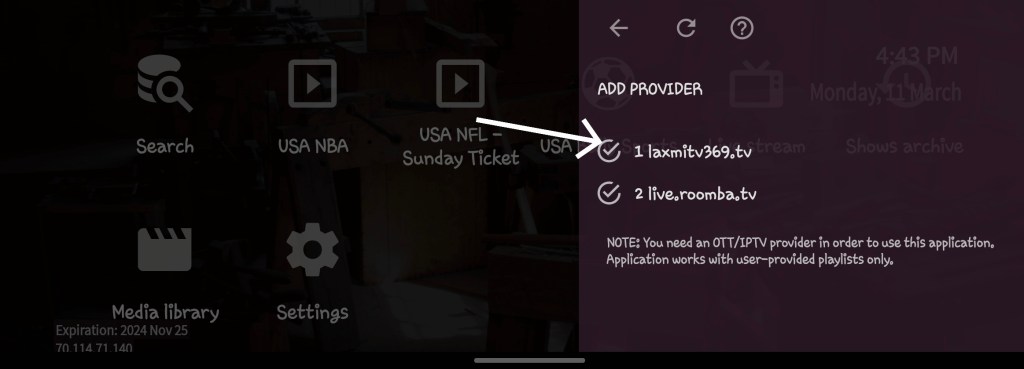
-Click one of playlists ” live.roomba.tv ” or “laxmitv369.tv” ect…
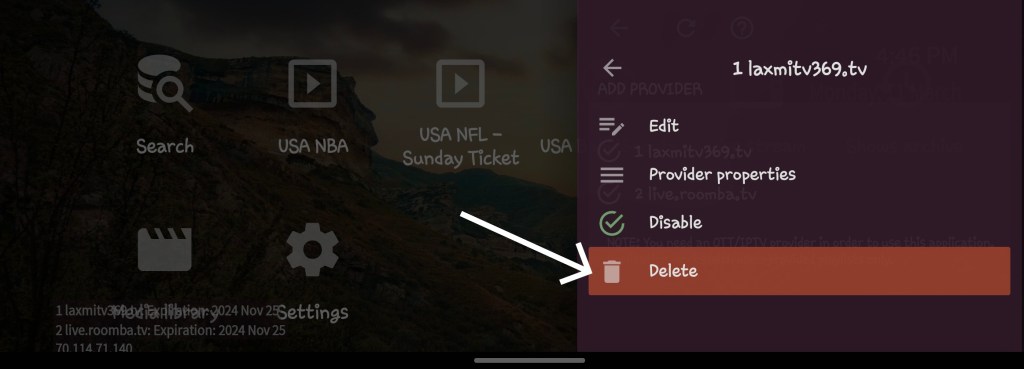
-Click “Delete”
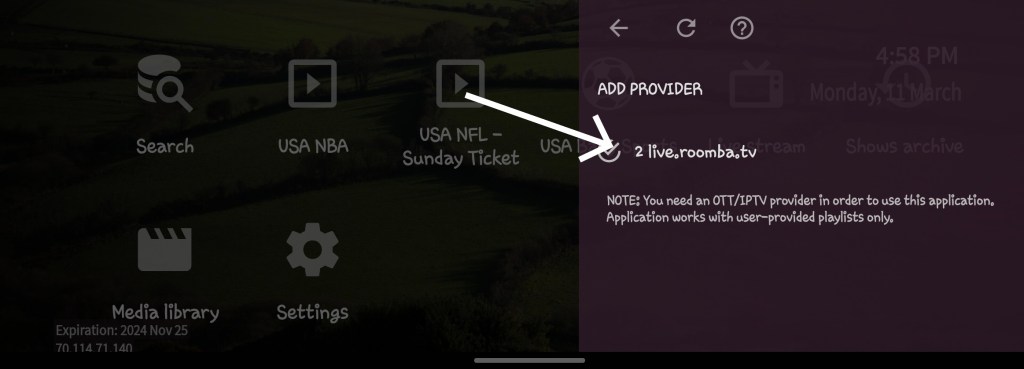
-Now delete the rest of playlists “live.roomba.tv”
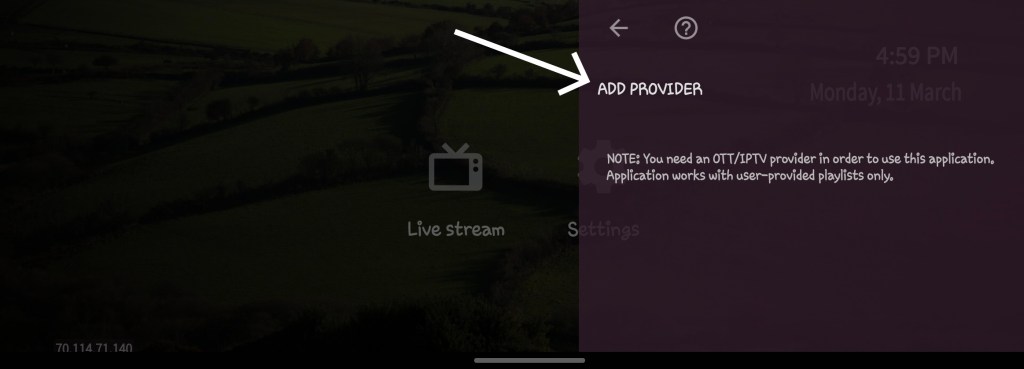
-Click “ADD PROVIDER” (make sure all the profiles playlists are deleted as pic shown above)
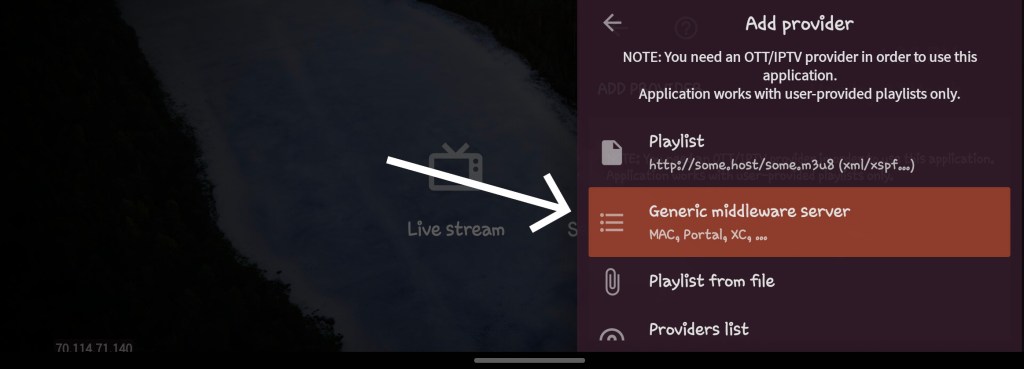
-Click “Generic middleware server”
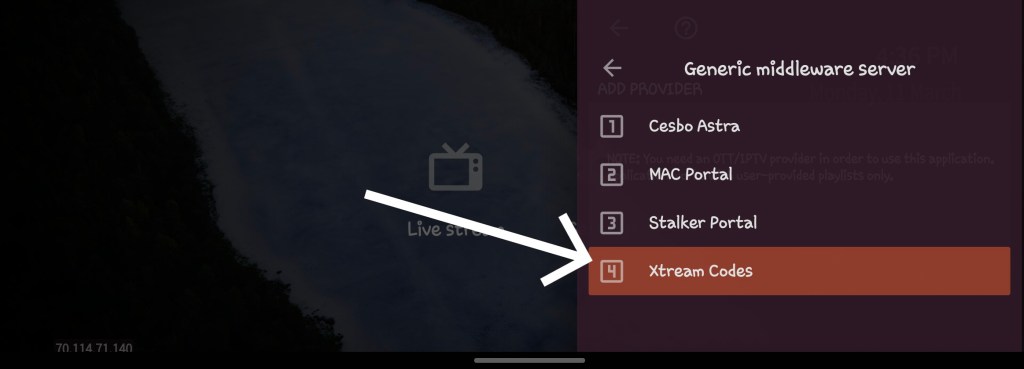
-Click “Xtream Codes”
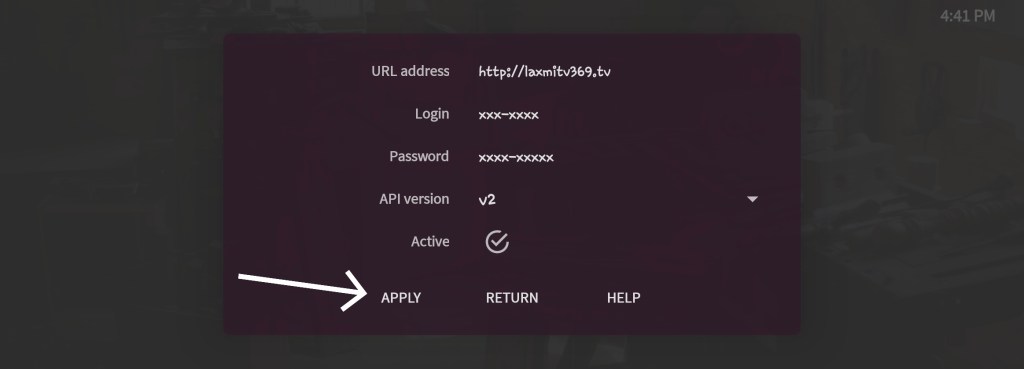
-Put your Login and Password and URL address ” http://laxmitv369.tv ” then click APPLY.
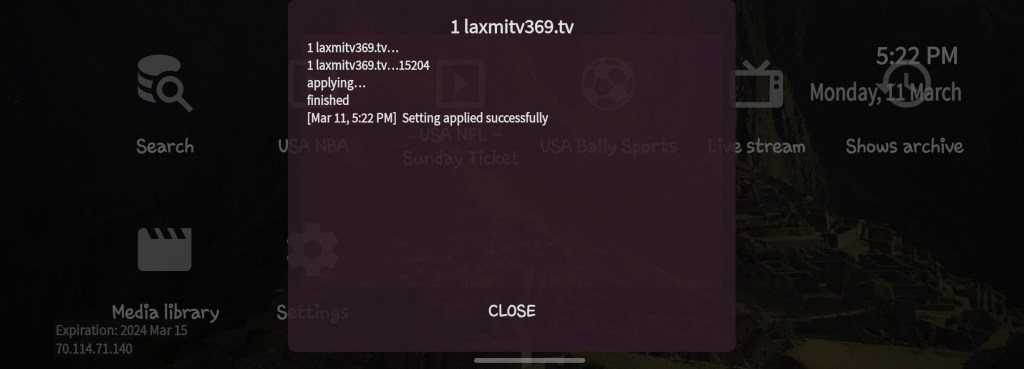
-“Setting applied successfully”. Enjoy!! 😊.
 LaxmiTV369